



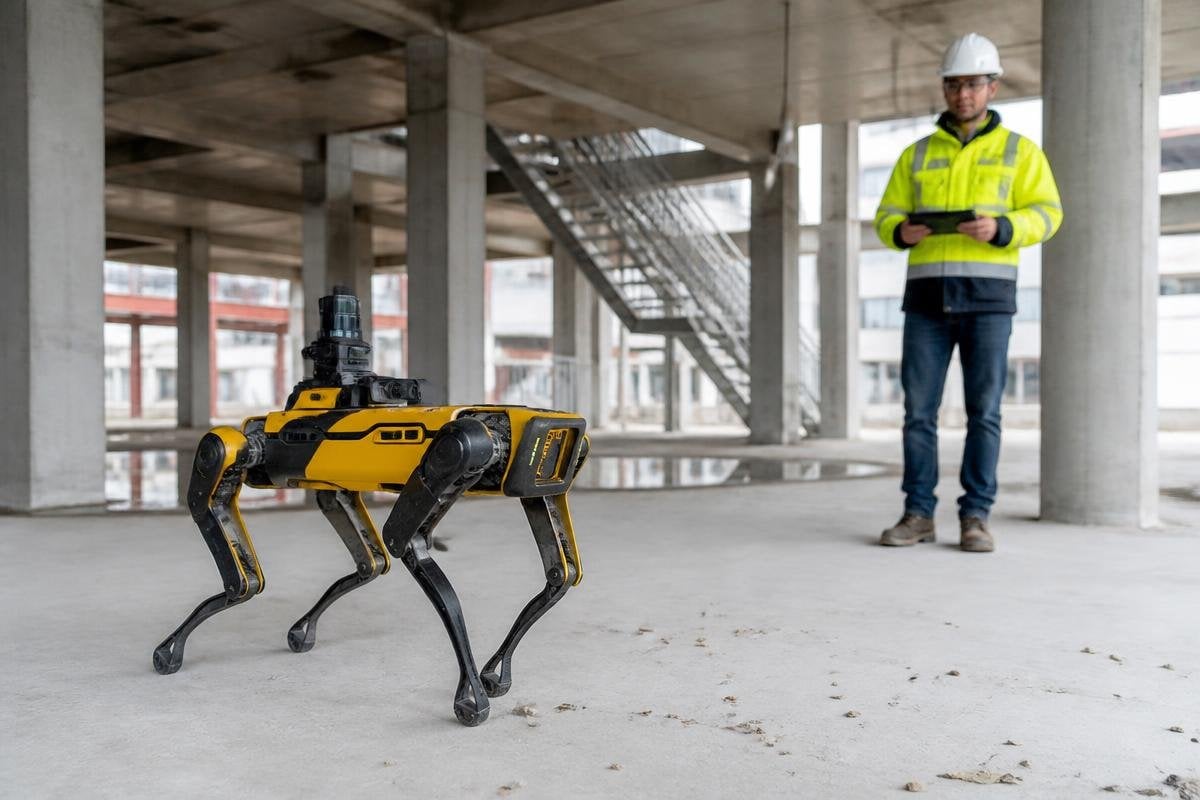
Robot dogs can now use cameras, LiDAR, and onboard software to move through places built for people. That gives them a partly autonomous role instead of direct remote control, but the hard work still sits in the details.
- Cameras help the robot spot people, doors, steps, and objects.
- LiDAR measures nearby surfaces so the robot can build a map.
- A remote operator still matters when the route or task falls outside the software’s limits.
What the software adds
Without autonomy, a robot dog follows commands from a person. With onboard AI, it can sort sensor data, pick a route, and adjust its legs when the ground changes.
The robot still needs motors, batteries, joint sensors, and a control system that turns each decision into movement. That split matters on a work site.
An operator may send the robot toward a room, while the robot handles small changes in the floor on its own. It can slow down near an obstacle, stop when a person enters its path, or choose another route when a doorway is blocked.
The software does not give the robot human judgment. It works from training data, sensor readings, and rules set by its maker. Poor light can affect cameras. Shiny surfaces can confuse depth sensing. A loose cable, wet floor, or crowded passage can still produce a problem that needs a person.
Where robot dogs fit
Inspection is a clear use for this design. During an inspection, the robot can carry a camera through a plant, tunnel, or construction area while a worker watches the feed from a safer location. The value comes from keeping people away from heat, moving equipment, unstable ground, or other hazards.
Security teams may use the same setup to patrol a site. The robot can follow a route and send back video, but it should not make high-stakes decisions on its own. A human needs to check what the sensors saw before anyone acts on the alert.
Research teams also use robot dogs to study walking, balance, mapping, and manipulation. In that setting, autonomy lets the team repeat a task while changing one part of the test, such as the floor surface or the robot’s speed. The result is useful only when the test conditions are recorded clearly.
Field results matter more than a smooth promotional clip. Robot24 follows robotics companies, machines, and research, giving readers another place to examine how robot dogs perform on uneven ground, around obstacles, and away from controlled demos.
The limits buyers need to check
Battery life sets the length of a patrol or inspection. Adding cameras, LiDAR, a computer, and a payload raises the power demand, so the robot may need a battery change before the job ends.
Connectivity matters too. A remote operator needs a stable link for video and control. If the robot loses that link, its response should be clear: stop, return to a safe point, or follow a stored route. A vague failure mode is a safety problem.
The word “autonomous” also needs a close look. It may mean the robot can keep its balance, or it may mean the robot can complete a full task without help. Those are very different claims. I’d treat any wider autonomy claim as unproven until the maker shows an uncut task in a setting close to the planned job.
A practical buying check
Use these questions before you approve a trial or purchase:
- Name the task: Write down the route, payload, floor types, lighting, and people nearby.
- Check the link: Test the control and video connection at the farthest working point.
- Set the stop rule: Decide what the robot does after a sensor fault, blocked route, or lost connection.
- Measure the shift: Record walking time, battery changes, operator hours, and missed tasks.
- Review the evidence: Ask for full task videos, failure records, service terms, and training needs.
A pilot should measure the work around the robot as well as the robot itself. Charging, route setup, software updates, and operator attention can decide whether the system saves time or adds another job.
The next useful proof will be simple: a robot dog completing a named inspection route, with its battery use, operator time, stops, and failures recorded from start to finish.
